Businesses are constantly looking for simpler ways to automate repetitive work, connect applications, and improve productivity. Traditional workflow automation often requires technical knowledge, scripting, or developer support. Describe workflow with AI no-code tools are changing that approach by allowing users to explain what they want in plain language and let artificial intelligence turn those instructions into an automated workflow.
Instead of manually configuring every trigger, action, condition, and integration, users can describe a process conversationally. The AI interprets the request, identifies the required steps, and helps create a functional workflow without traditional coding.
What Does Describe Workflow With AI No-Code Mean?
Describe workflow with AI no-code refers to using artificial intelligence and no-code automation technology to create workflows from natural-language instructions.
For example, a user might write:AI-Native No-Code Workflow Automation
“When a customer submits a contact form, add the information to our CRM, send a confirmation email, and notify the sales team.”
An AI-powered no-code workflow builder can interpret this description and translate it into a sequence of automated actions.
The user does not necessarily need to understand APIs, programming languages, or complex automation logic. Instead, they focus on explaining the desired business process.
How AI Understands Workflow Instructions
AI workflow platforms use natural language processing to interpret user instructions. The system identifies important elements such as:
- The starting event or trigger
- Required applications
- Actions that need to happen
- Conditions and rules
- Data that must be transferred
- Notifications or follow-up tasks
This makes workflow creation more accessible to marketers, business owners, operations teams, and other non-technical users.
How AI No-Code Workflow Creation Works
The process usually begins with a simple description of the task. The AI then converts the description into structured automation logic.
1. Describe the Business Process
Start by explaining the workflow in everyday language. You can mention what should trigger the process and what should happen afterward.
For example:
“Every morning, check new customer orders, identify delayed shipments, and send an alert to the support team.”
The clearer the description, the easier it is for the AI to understand the intended process.
2. AI Builds the Workflow Structure
The AI analyzes the instruction and identifies individual workflow components. It may create a trigger, several actions, conditional branches, and integrations.
A workflow could look like:
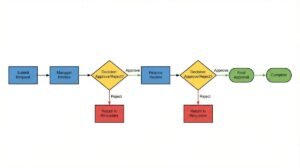
New order → Check shipping status → Identify delay → Notify support team
The platform may also ask for clarification if important information is missing.
3. Review and Customize
AI-generated automation should not simply be accepted without review. Users should check each step, confirm data mappings, and verify that conditions work as expected.
No-code platforms typically provide visual workflow editors where users can modify steps without writing code.
4. Test and Deploy
Before activating the automation, test it with sample data. This helps identify incorrect conditions, missing fields, failed integrations, or unexpected actions.
Once the workflow performs correctly, it can be deployed and monitored.
Benefits of Describing Workflows With AI
The combination of AI and no-code automation can reduce the complexity of workflow development.
Faster Workflow Creation
Traditional automation may require planning, technical configuration, and development resources. AI-assisted no-code tools can shorten this process by turning natural-language instructions into an initial workflow structure.
This is especially useful when teams need to automate small operational tasks quickly.
Less Dependence on Developers
Employees who understand a business process often do not have programming skills. AI no-code workflow builders help bridge that gap.
A marketing manager, for example, can describe a lead-management process without learning how to build an API integration.
Easier Business Process Automation
Companies can automate repetitive activities such as:
- Lead management
- Customer notifications
- Data entry
- Email follow-ups
- Task assignment
- Report generation
- Invoice processing
- Internal alerts
- Customer support routing
This allows employees to spend more time on activities requiring judgment and creativity.
AI No-Code Workflow Automation for Small Businesses
Small businesses often have limited technical resources. Hiring developers for every automation requirement may not be practical.
AI-powered no-code platforms provide an alternative by allowing teams to build simple automations themselves.
For example, an online store could create a workflow that automatically records new orders, updates inventory information, sends customer notifications, and creates an internal task when an order requires manual review.
This type of AI workflow automation without coding can help small teams reduce repetitive administrative work.
Common Use Cases
Marketing Automation
Marketing teams can describe workflows for lead capture, email campaigns, customer segmentation, and follow-up activities.
For example, a workflow could identify a new lead, add it to a CRM, assign a sales representative, and schedule a follow-up email.
Customer Support
AI no-code workflows can help organize incoming support requests. A workflow can classify a request, identify its priority, route it to the appropriate team, and send an acknowledgment to the customer.
Human Resources
HR teams can automate onboarding processes by creating workflows that send documents, assign training tasks, notify managers, and update employee records.
Finance and Operations
Finance teams can automate invoice approvals, payment reminders, expense notifications, and reporting tasks while maintaining defined approval rules.
Best Practices for AI-Powered Workflow Design
AI can make workflow creation easier, but good instructions still matter.
Use Clear Instructions
Avoid vague descriptions. Instead of saying “automate customer management,” explain exactly what should happen, when it should happen, and what conditions should apply.
Define Exceptions
Real-world processes often contain exceptions. Include rules such as what should happen when information is missing, a customer is marked as high priority, or an integration fails.
Keep Workflows Manageable
A single automation should have a clear purpose. Extremely complicated workflows can become difficult to understand and maintain.
Monitor Automation Results
After deployment, review workflow performance regularly. Check for failed actions, incorrect data, and unexpected outcomes.
The Future of AI No-Code Workflow Automation
The ability to describe workflow with AI no-code represents a shift from configuration-based automation toward intent-based automation. Instead of learning how a platform works first, users can increasingly explain what they want the system to accomplish.
As AI becomes better at understanding business processes, workflow builders are likely to become more conversational, adaptive, and accessible. Users may be able to create sophisticated automations simply by describing business goals and refining the generated process.
Conclusion
Describe workflow with AI no-code technology makes automation more accessible by allowing users to turn plain-language instructions into structured workflows. It can help businesses automate repetitive processes, connect applications, reduce manual work, and improve operational efficiency without requiring traditional programming skills.
However, AI-generated workflows still require human review. Clear instructions, careful testing, appropriate permissions, and ongoing monitoring remain essential. Used properly, AI no-code workflow automation can become a practical tool for businesses that want to automate processes without making every task dependent on technical development.


2 thoughts on “Describe Workflow With AI No-Code: A Practical Guide to Smarter Automation”