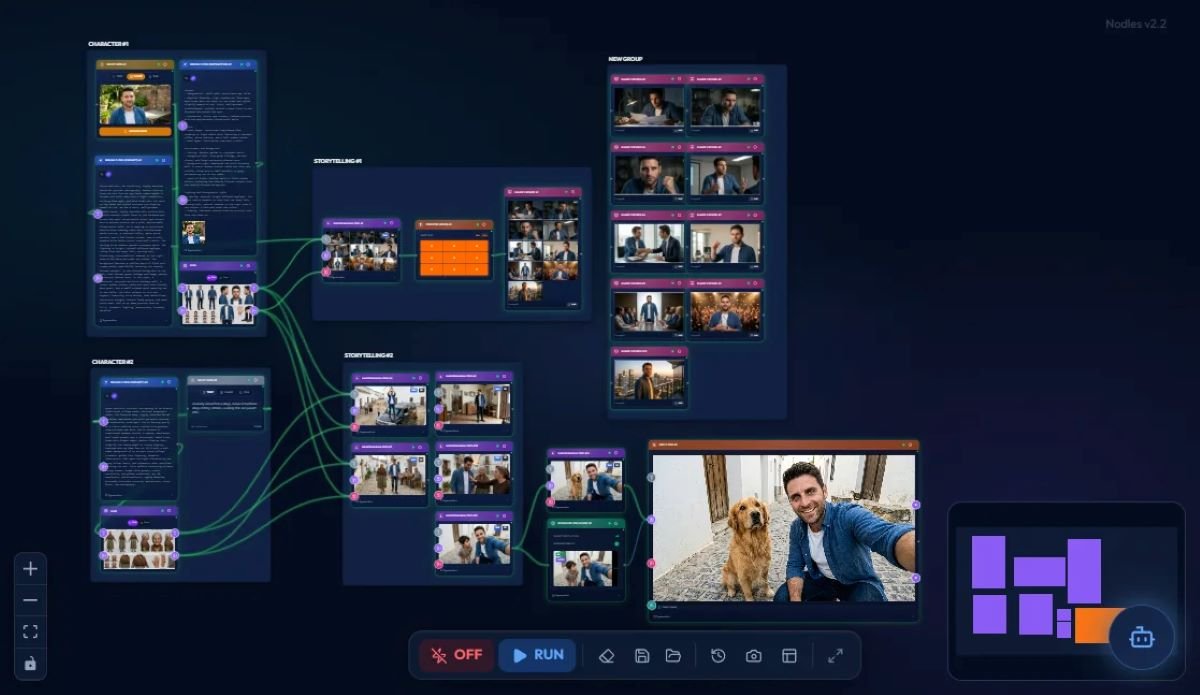
Businesses are constantly looking for easier ways to automate repetitive tasks, connect applications, and improve productivity. Traditional workflow automation often requires technical knowledge, complicated interfaces, and time-consuming configuration. An AI workflow builder from natural language changes this approach by allowing users to describe an automation in ordinary language and let artificial intelligence turn that description into a working workflow.
Instead of manually creating triggers, actions, conditions, and integrations, users can explain what they want to accomplish. The AI workflow builder interprets the request and creates the necessary automation steps. This makes workflow automation more accessible to business owners, marketers, operations teams, and non-technical users.
What Is an AI Workflow Builder From Natural Language?
An AI workflow builder from natural language is an automation platform that uses artificial intelligence and natural language processing to create workflows from written instructions.
For example, a user could type:AI-Native No-Code Workflow Automation
“When a customer submits our contact form, add the information to our CRM, send a confirmation email, and notify the sales team.”
Instead of building every step manually, the AI system can translate the request into a structured workflow.
The resulting automation may include a trigger, data transfer, email action, and internal notification. Users can then review, modify, and activate the workflow.
How Natural Language Workflow Automation Works
Most AI-powered workflow builders follow a simple process:
- Understand the request – The AI analyzes the user’s instructions.
- Identify the trigger – It determines what event should start the workflow.
- Create actions – The system identifies the tasks that need to happen.
- Connect applications – It maps actions to available tools and integrations.
- Add logic – Conditions, filters, and branching can be included when necessary.
- Generate the workflow – The platform creates a visual or structured automation.
- Allow refinement – Users can request changes using additional natural-language instructions.
This approach reduces the need to understand complex automation terminology.
Why Businesses Are Using AI Workflow Builders
Automation has traditionally been associated with technical configuration. AI is making it possible for more employees to create useful workflows without depending entirely on developers.
Faster Workflow Creation
Creating a workflow manually can involve selecting triggers, configuring fields, connecting applications, and testing individual steps. Natural language automation can significantly simplify this process.
A user can describe the desired outcome and allow the AI to create an initial workflow. This can shorten the time between an idea and a working automation.
Lower Technical Barriers
Not every employee understands APIs, webhooks, conditional logic, or data mapping. An AI workflow builder hides much of this complexity behind a conversational interface.
Users can focus on explaining the business process rather than learning how the automation platform works internally.
Better Productivity
Many business processes involve repetitive activities such as copying information between applications, sending notifications, updating records, generating reports, or assigning tasks.
An AI workflow automation tool can help reduce manual work by turning these repetitive processes into automated sequences.
Common Use Cases for Natural Language Workflow Builders
AI-powered workflow automation can be applied across many departments and industries.
Marketing Automation
Marketing teams can create workflows for lead management, campaign notifications, customer segmentation, and content distribution.
For example, a marketer could request an automation that sends new leads to a CRM, assigns them to a sales representative, and creates a follow-up task.
Customer Support
Support teams can automate ticket routing, customer notifications, escalation processes, and follow-up reminders.
A natural-language instruction could define which tickets should be prioritized and which team should receive them.
Sales Operations
Sales teams can automate lead qualification, follow-up reminders, CRM updates, and notifications.
AI workflow builders can help connect lead forms, customer relationship management systems, email platforms, and task-management tools.
Human Resources
HR departments can use workflow automation for employee onboarding, document collection, approval processes, and internal notifications.
A simple instruction can potentially define multiple steps in an employee onboarding process without requiring the HR team to manually configure every action.
Key Features to Look For
Not every AI workflow builder offers the same capabilities. Businesses should evaluate several important features before selecting a platform.
Natural Language Understanding
The system should understand instructions that resemble normal business conversations rather than requiring rigid commands.
It should also allow users to refine workflows conversationally.
Application Integrations
Useful automation depends heavily on integrations. Look for support for commonly used business applications such as CRMs, email platforms, project-management software, spreadsheets, communication tools, and databases.
Conditional Logic
Advanced workflows often require rules.
For example, a company might want one action for high-value leads and another for lower-priority leads. Conditional logic allows the workflow to respond differently depending on specific data.
Workflow Testing
A generated workflow should be tested before it handles real business processes. Preview and testing features can help identify incorrect mappings, missing steps, or unexpected results.
Human Approval Controls
Some workflows should not operate completely independently. Approval steps can allow employees to review sensitive actions before the automation continues.
AI Workflow Builder vs. Traditional Automation
Traditional workflow platforms usually require users to manually construct automation using visual builders and predefined actions.
An AI workflow builder from natural language adds another layer by allowing users to describe the desired process first. The AI then translates the description into automation logic.
This does not necessarily eliminate visual workflow builders. Instead, the two approaches can work together. Natural language can provide a fast starting point, while visual editing gives users greater control over individual steps.
Challenges and Limitations
AI workflow automation is powerful, but it is not perfect.
Natural language instructions can sometimes be ambiguous. If a user says “notify the team,” the system may need clarification about which team, communication channel, or notification format should be used.
Integrations can also create limitations. An AI system may understand what a user wants but still depend on the capabilities and permissions of connected applications.
Security is another important consideration. Automated workflows may process customer information, financial records, or internal business data. Organizations should carefully manage permissions, authentication, access controls, and data handling.
The Future of Natural Language Automation
The development of AI-native workflow automation is moving automation closer to everyday business communication. Instead of learning complicated tools first, users can increasingly describe a process and allow AI to help construct it.
Future workflow builders are likely to become more conversational, context-aware, and capable of handling complex multi-application processes. They may also provide better recommendations for improving inefficient workflows.
For businesses, the biggest opportunity is not simply automating individual tasks. It is creating connected processes that reduce friction across entire operations.
Conclusion
An AI workflow builder from natural language provides a simpler way to create and manage business automation. By converting ordinary instructions into structured workflows, these platforms can reduce technical barriers and help teams automate repetitive processes faster.
From marketing and sales to customer support and HR, natural language workflow automation can support a wide range of business operations. However, organizations should still review AI-generated workflows carefully, especially when they involve sensitive data or important business decisions.
As AI continues to improve, describing an automation in plain language may become one of the most practical ways to build sophisticated digital workflows.



One thought on “AI Workflow Builder From Natural Language: A Smarter Way to Automate Work”