Artificial intelligence has changed how people create applications. You no longer need advanced programming skills to build a website, business tool, or mobile application. Modern AI app builders can turn simple text instructions into working software. They help beginners, developers, startups, and business owners save time.
However, not every platform offers the same capabilities. Some focus on web applications, while others support mobile development, databases, and business automation. Some also provide free plans with limited credits. In this guide, we explore the 15 best AI app builders in 2027, comparing their features, advantages, disadvantages, pricing considerations, and ideal use cases.
What Is an AI App Builder?
An AI app builder is a software platform that uses artificial intelligence to create applications from written instructions. Users describe their ideas, and the platform generates application layouts, features, and sometimes complete backend systems.
These tools can help create websites, customer portals, booking systems, dashboards, and mobile applications. Some platforms generate editable source code, while others use visual editors.
Traditional development often requires programming knowledge and considerable time. AI-powered builders simplify the process by automating many technical tasks.
However, they do not eliminate every development challenge. Complex applications may still require coding, testing, and professional maintenance.
How Do AI App Builders Work?
AI app builders use language models, code-generation systems, and development tools to understand user instructions.
The process usually starts with a text prompt describing the application. The AI then generates an initial design and application structure.
Most platforms follow these steps:
- Prompt understanding: AI analyzes the user’s application requirements.
- Interface generation: It creates screens, layouts, buttons, and navigation.
- Backend development: Some platforms generate databases, authentication, and application logic.
- Customization: Users request changes through prompts or visual editors.
- Testing and publishing: The application is tested and deployed when ready.
The final result depends on the quality of the prompt, the platform’s capabilities, and the complexity of the project.
Best AI App Builders in 2027: Quick Comparison
The following table highlights 15 platforms and their primary purposes.
| AI App Builder | Best For | Main Application Type |
| Manus | AI-powered app creation | Web apps |
| Lovable | Full-stack development | Web apps |
| Bolt.new | Rapid prototyping | Web and mobile |
| Replit | AI-assisted coding | Web and mobile |
| Base44 | Beginners | Web apps |
| Bubble | Business applications | Web apps |
| Glide | Internal business tools | Business apps |
| v0 | Interface development | Web apps |
| Figma Make | Design prototypes | Interactive prototypes |
| Zite | Internal workflows | Business apps |
| FlutterFlow | Mobile development | iOS and Android |
| Appy Pie | Small businesses | Mobile apps |
| Softr | Client portals | Web apps |
| Emergent | Full-stack applications | Web apps |
| Databutton | Custom applications | Web apps |
These platforms serve different development needs. A tool designed for rapid prototypes may not be suitable for a complex business application.
How We Compared the Best AI App Builders
Choosing an AI app builder requires more than checking its popularity. We considered several important factors when evaluating these platforms.
Ease of use: Beginners should be able to understand the interface and create basic applications without unnecessary complexity.
AI generation quality: A good builder should understand instructions and generate useful application components.
Features and customization: Database support, authentication, integrations, and editing options can affect the final result.
Pricing and free plans: Users should understand credit limits, subscriptions, hosting costs, and publishing restrictions.
Application ownership: Code export and data portability matter when users want to move their projects elsewhere.
These are editorial comparison criteria, not results from a claimed independent hands-on test of all 15 platforms.
15 Best AI App Builders in 2027
1. Manus – Best for AI-Powered Application Creation
Manus is an AI-powered platform that can help users turn instructions into functional digital projects. It is useful for people who want an AI agent to handle multiple development tasks.
Its approach goes beyond generating individual interface components. Users can describe a project and let the agent work through different implementation steps.
Key features:
- AI-assisted application creation.
- Automated task execution.
- Website and interface generation.
- Support for complex project workflows.
Advantages: Reduces manual work and helps users move from ideas to working prototypes.
Disadvantages: Results may require testing and corrections. Complex development tasks can also require additional effort.
Best for: Entrepreneurs and users exploring AI-assisted application development.
2. Lovable – Best for Full-Stack Web Apps
Lovable helps users build web applications through natural-language instructions. It is particularly useful for startups and founders who want to develop an MVP without starting from an empty codebase.
The platform can generate interfaces, application logic, and database-connected projects. GitHub integration also helps developers manage their code.
Key features:
- Prompt-based app generation.
- Full-stack web development.
- Database integrations.
- GitHub synchronization.
Advantages: Beginner-friendly workflow and useful development features.
Disadvantages: Credit limits can restrict frequent changes. Advanced projects may require technical knowledge.
Best for: Startups, founders, and web application prototypes.
3. Bolt.new – Best for Rapid App Prototyping
Bolt.new provides a browser-based development environment where users can generate and modify applications using prompts.
It is useful for quickly testing product ideas and building interactive prototypes. Developers can also inspect and edit generated code.
Key features:
- AI-powered code generation.
- Browser-based development.
- Web application creation.
- Mobile development workflows through supported integrations.
Advantages: Fast prototyping and direct access to code.
Disadvantages: Large projects and repeated modifications can consume considerable usage credits.
Best for: Developers and founders who want to test ideas quickly.
4. Replit – Best for AI-Assisted Coding
Replit combines an online coding environment with AI development assistance. Users can create projects, edit code, run applications, and manage deployment within one workspace.
Its AI Agent helps automate development tasks and makes programming more accessible to beginners.
Key features:
- AI Agent for development.
- Online coding workspace.
- Application hosting and deployment.
- Database and project management tools.
Advantages: Combines coding, testing, and deployment in one environment.
Disadvantages: Understanding generated code becomes important when projects become complicated.
Best for: Developers, students, and users building more customizable applications.
5. Base44 – Best for Beginners
Base44 focuses on making application creation accessible through natural-language prompts. Users can describe a business idea and generate an application without manually configuring every technical component.
Its integrated development approach can simplify authentication, databases, and application management.
Key features:
- Prompt-based application generation.
- Built-in backend capabilities.
- Authentication support.
- Application customization.
Advantages: Reduces technical setup and helps beginners create business tools.
Disadvantages: Platform-specific limitations may affect advanced customization and portability.
Best for: Beginners and small business owners.
6. Bubble – Best for Complex Business Applications
Bubble is a no-code platform for creating interactive web applications. It provides a visual development environment where users can build workflows, databases, and application interfaces.
Its AI-assisted features can help accelerate parts of the development process.
Key features:
- Visual application editor.
- Database management.
- Workflow automation.
- Third-party integrations.
Advantages: Strong customization and extensive business application capabilities.
Disadvantages: Learning the platform can take time, and complex applications require careful planning.
Best for: Marketplaces, SaaS products, and business management systems.
7. Glide – Best for Data-Driven Business Apps
Glide helps users create business applications connected to structured data. It is particularly useful for teams that manage information through spreadsheets and databases.
Users can turn existing business data into practical interfaces without traditional programming.
Key features:
- Spreadsheet and database connections.
- Business dashboards.
- Internal workflow applications.
- Ready-made components.
Advantages: Easy data management and relatively simple application creation.
Disadvantages: It is less suitable for highly customized applications requiring complete coding freedom.
Best for: Inventory systems, employee portals, and internal business tools.
8. v0 – Best for AI-Powered UI Development
v0 by Vercel helps developers generate user interfaces using natural-language instructions. It is especially useful for React and Next.js development.
Users can describe a design and receive editable components that can become part of a larger web project.
Key features:
- AI interface generation.
- React and Next.js support.
- Component customization.
- Vercel ecosystem integration.
Advantages: Speeds up frontend development and helps create modern interfaces.
Disadvantages: It is more developer-oriented than a complete no-code application platform.
Best for: Frontend developers and design-focused development teams.
9. Figma Make – Best for Interactive Prototypes
Figma Make helps users transform design ideas and prompts into interactive experiences. It connects AI-assisted creation with Figma’s design environment.
This makes it useful for exploring layouts and demonstrating product concepts before full development.
Key features:
- Prompt-based interface generation.
- Interactive prototypes.
- Design customization.
- Integration with Figma workflows.
Advantages: Useful for quickly exploring design ideas and user experiences.
Disadvantages: A generated prototype is not automatically a production-ready application.
Best for: UI designers, product teams, and prototyping.
10. Zite – Best for Internal Business Applications
Zite focuses on creating business applications without requiring traditional coding. It is useful for teams that need practical tools for managing information and internal processes.
Users can describe their requirements and customize generated applications.
Key features:
- AI-assisted app creation.
- Business workflow support.
- Custom forms and dashboards.
- Data management features.
Advantages: Helps teams create internal tools without extensive development work.
Disadvantages: Advanced requirements may need additional configuration, and platform dependency is worth considering.
Best for: Business owners and operations teams.
11. FlutterFlow – Best for Mobile App Development
FlutterFlow is a visual development platform for creating applications with Flutter. It supports mobile-focused development and provides more control over application design than many simple prompt-based builders.
Its AI features can assist with parts of the development process.
Key features:
- Visual app development.
- Flutter-based application creation.
- Firebase integrations.
- Source-code export options.
Advantages: Offers flexibility for mobile development and customization.
Disadvantages: Users may need technical knowledge for advanced features and integrations.
Best for: Teams developing Android and iOS applications.
12. Appy Pie – Best for Small Businesses
Appy Pie offers no-code tools designed to help businesses create applications and automate digital workflows.
Its app-building features make it relevant to users who want to develop branded applications without learning traditional programming.
Key features:
- No-code app creation.
- Prebuilt templates.
- Business-focused integrations.
- Mobile application publishing options.
Advantages: Accessible interface and useful business-oriented features.
Disadvantages: Customization and advanced functionality depend on the selected plan.
Best for: Small businesses, service providers, and beginners.
13. Softr – Best for Client Portals and Business Tools
Softr helps users build web applications using data sources and visual components. It is particularly useful for creating client portals, membership platforms, and internal business tools.
Its AI-assisted features can make initial application creation easier.
Key features:
- Client portal creation.
- Database integrations.
- Membership functionality.
- Business dashboards.
Advantages: Useful templates and a relatively simple development process.
Disadvantages: Highly customized applications may require additional tools or integrations.
Best for: Agencies, business teams, and client-facing portals.
14. Emergent – Best for AI-Generated Full-Stack Apps
Emergent focuses on generating applications through AI-assisted development. Users can describe their requirements and work with AI agents to create application components and backend functionality.
It is suitable for people who want to move beyond simple visual prototypes.
Key features:
- AI-driven application development.
- Full-stack project generation.
- Backend functionality.
- Iterative application editing.
Advantages: Helps automate multiple development stages.
Disadvantages: Generated applications still need testing, debugging, and security checks.
Best for: Entrepreneurs and users building custom web applications.
15. Databutton – Best for Custom AI-Powered Applications
Databutton is associated with AI-assisted application development, particularly projects involving custom software and data-driven functionality.
It is worth evaluating for users who need more than a basic website or simple landing page.
Key features:
- AI-assisted development.
- Custom application workflows.
- Data-focused functionality.
- Backend development support.
Advantages: Targets more customized application requirements.
Disadvantages: Its suitability depends on current product availability, feature support, and pricing. Check its official documentation before committing to a project.
Best for: Technical founders and users exploring custom applications.
Best Free AI App Builders in 2027

Several platforms offer free access or limited free plans. However, free access does not always mean unlimited application development.
Lovable, Bolt.new, Replit, Base44, and Bubble are worth comparing when starting a project without an initial subscription.
Before selecting one, check:
- Monthly credits or daily usage limits.
- Whether applications can be published.
- Free hosting availability.
- Custom domain restrictions.
- Database and storage limitations.
- Code export and download options.
A free plan is useful for testing an idea. A paid subscription may become necessary when an application requires more users, storage, or advanced functionality.
Best AI App Builders Without Coding
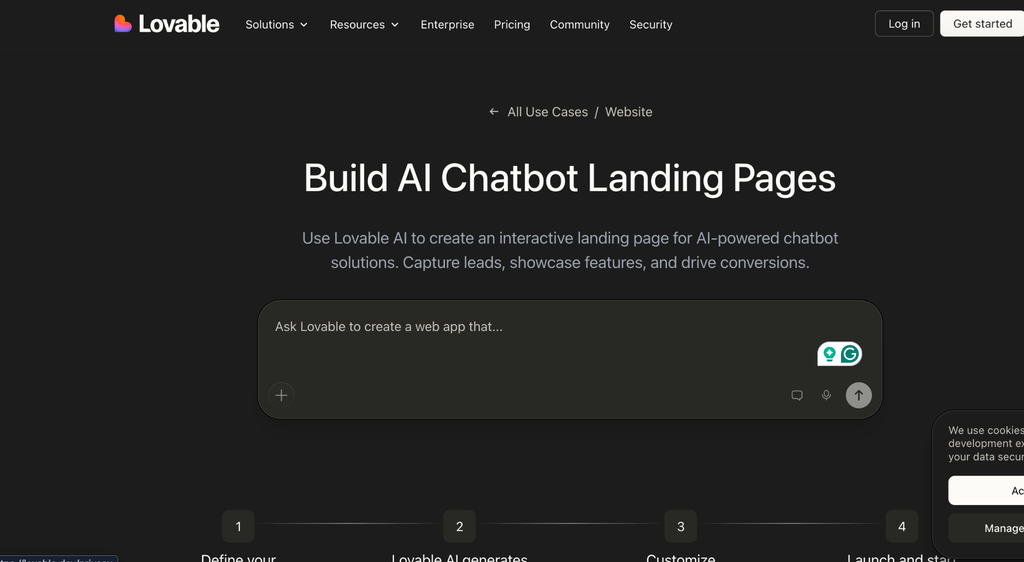
Beginners should prioritize platforms that simplify application development.
Base44 is useful for prompt-based creation. Bubble offers visual workflow customization, while Glide is suitable for data-driven business applications. Appy Pie provides accessible tools for small businesses.
The right choice depends on the application rather than the user’s experience alone.
Someone creating a simple booking system may need a different platform from someone developing a complete SaaS product.
Best AI App Builders for Mobile Applications
Mobile development requires additional considerations.
FlutterFlow is a strong option for users who want Flutter-based mobile applications. Appy Pie offers mobile app-building workflows, while Replit and Bolt.new support mobile development through suitable frameworks and integrations.
Before choosing a platform, check whether it supports native application builds, device testing, push notifications, and publishing requirements for the Google Play Store and Apple App Store.
A mobile-friendly web application is not necessarily the same as a native mobile app.
Best AI App Builders for Businesses and Startups
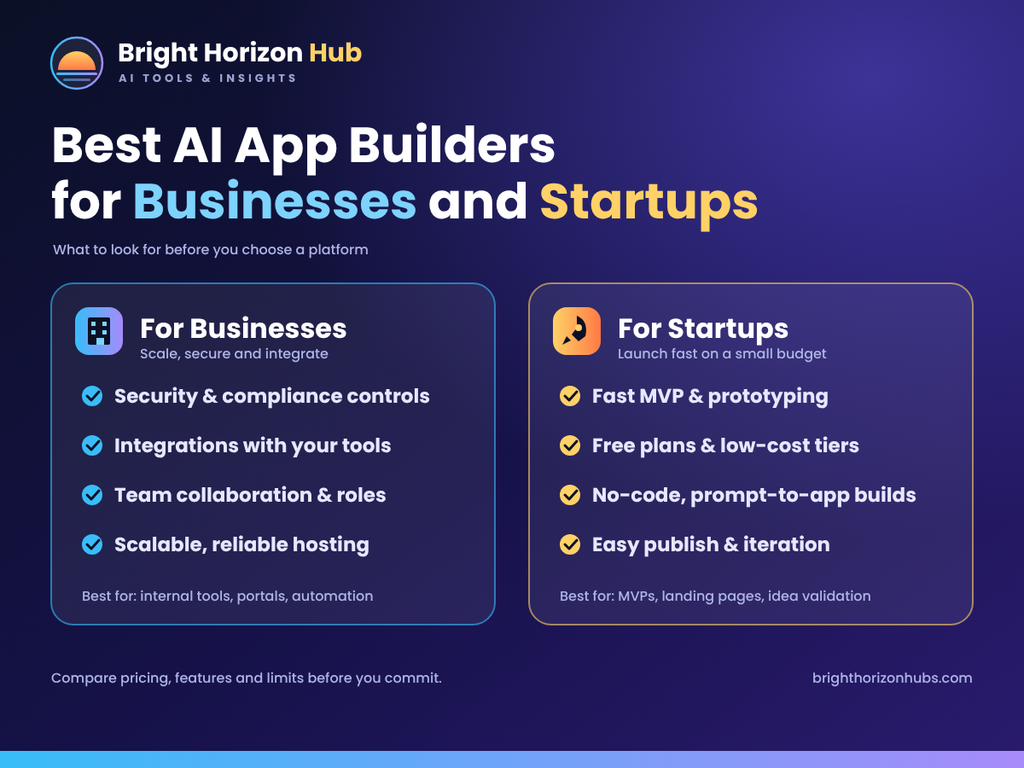
Businesses need more than attractive application screens. They often require authentication, databases, payment processing, and reliable workflows.
Bubble can support complex business applications. Lovable and Replit are useful for developing web-based products, while Softr and Glide can simplify internal operations.
Startups should also consider future development costs, application ownership, and scalability before selecting a platform.
Limitations of AI App Builders
AI app builders simplify development, but they are not perfect.
Generated applications may contain coding errors, incomplete workflows, or security problems. Some platforms also restrict code export and advanced customization.
Other limitations include:
- Credit consumption: Repeated prompts may increase development costs.
- Security risks: Authentication and data permissions require careful testing.
- Vendor lock-in: Moving an application to another platform may be difficult.
- Scalability: Growing applications can require additional infrastructure.
- Maintenance: Software still needs updates and technical support.
Always test important functionality before publishing an application or handling customer information.
How to Choose the Right AI App Builder?
Start by identifying the type of application you want to create.
If you need a quick web application, consider Lovable or Bolt.new. Developers who want more control can explore Replit or v0. For business workflows, Bubble, Glide, and Softr offer different approaches. FlutterFlow is worth considering for mobile-focused projects.
Compare the available features, pricing, integrations, and publishing options.
Most importantly, test a small project before purchasing an annual subscription. This helps you understand the platform’s limitations before investing money.
Frequently Asked Questions
What is the best AI app builder in 2027?
There is no universal winner. Lovable, Bolt.new, and Replit are useful for prompt-based web development, while Bubble and FlutterFlow address different development needs.
Can I build an app using AI without coding?
Yes. Many AI app builders let users create applications through text prompts and visual editors. However, advanced projects may still require programming knowledge.
Are free AI app builders worth using?
Yes. Free plans are useful for testing ideas and learning how platforms work. However, they often include restrictions on credits, publishing, hosting, or customization.
Can AI app builders create mobile applications?
Some platforms support mobile development, but their capabilities differ. Check whether the tool creates native applications or simply mobile-friendly web applications.
Are AI-generated applications ready for production?
Not automatically. You should test security, authentication, database permissions, payments, and performance before launching an application.
Final Verdict: Which AI App Builder Should You Choose?
The best AI app builder depends on your project, budget, and technical experience. Lovable and Bolt.new are useful for rapid web development, while Replit offers a more developer-oriented environment.
Bubble is worth considering for complex business applications, Glide for internal tools, and FlutterFlow for mobile development.
Do not choose a platform simply because it appears popular. Test its features, understand its limitations, and compare its long-term costs. The right AI app builder should help you create a useful application without introducing unnecessary technical or financial problems.