
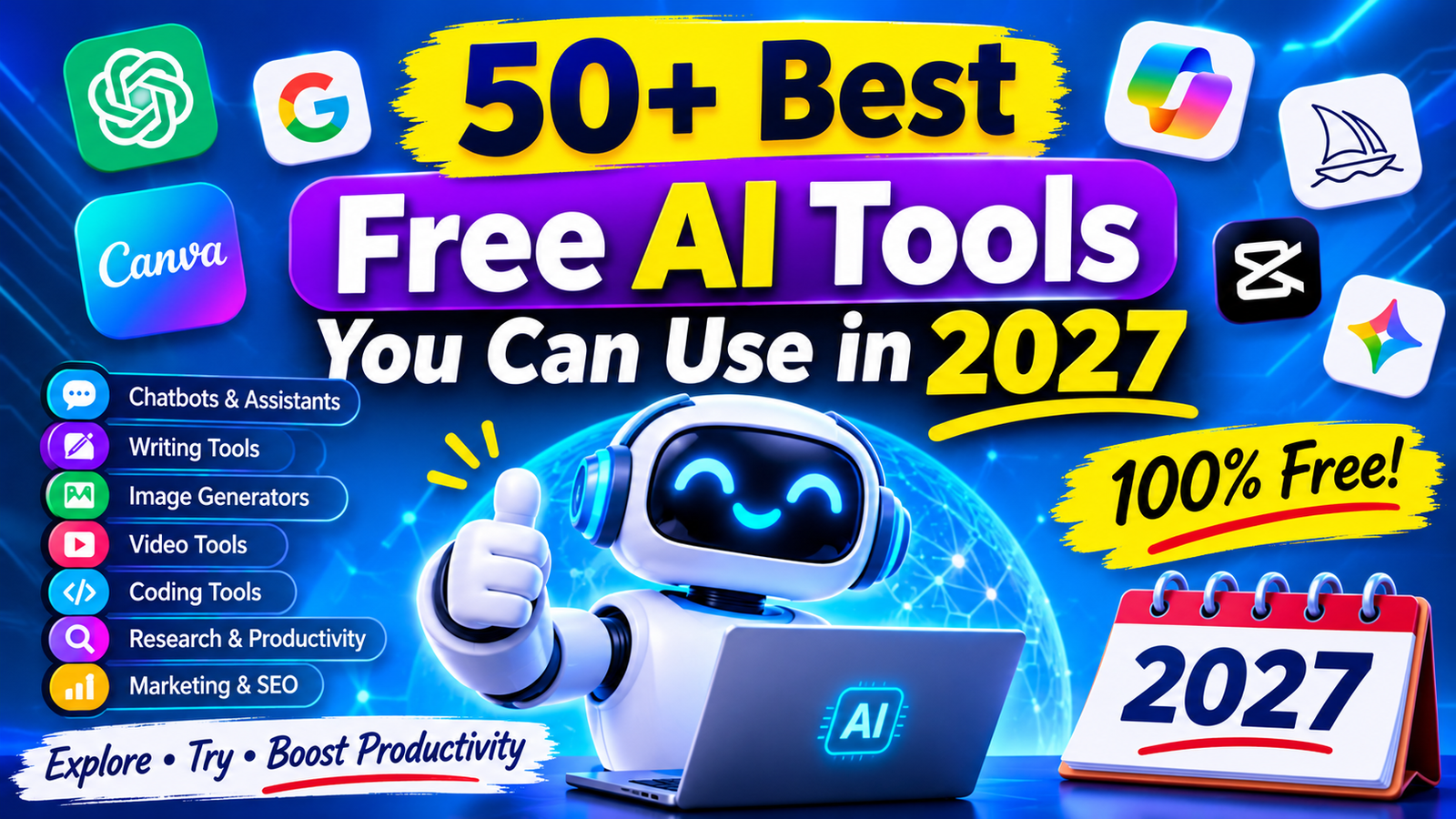
Artificial intelligence is changing how people work, learn, create, and manage everyday tasks. From writing blog posts to editing videos, AI applications can save time and simplify complicated work. The good news is that you do not always need an expensive subscription to benefit from this technology. Many platforms offer free plans, limited credits, or useful features without payment.
This free AI tools list explores more than 50 popular options across different categories. You will discover tools for writing, image generation, video creation, coding, research, marketing, and business. We will also explain their main features, free-plan restrictions, and practical uses to help you choose wisely.
What Are Free AI Tools?
Free AI tools are software applications that use artificial intelligence to perform tasks with little or no manual effort. They can understand questions, generate content, analyze information, create images, edit videos, and assist with programming.
These applications use technologies such as machine learning, natural language processing, and computer vision. Some tools provide completely free access, while others offer limited features through a freemium model.
For example, students can use AI assistants to understand difficult subjects. Marketers can generate content ideas, while designers can create visual concepts without advanced editing skills.
How We Selected the Best Free AI Tools
Not every AI application deserves a place on a recommended list. Some advertise free access but restrict important features behind expensive subscriptions.
We considered several factors when selecting these tools:
- Free access: Whether users can access useful features without paying.
- Features: What the application can actually accomplish.
- Ease of use: Whether beginners can understand its interface.
- Performance: How useful and consistent its results are.
- Limitations: Whether it restricts credits, exports, or daily usage.
- Practical value: Whether it solves a real problem for individuals or businesses.
Free-plan availability can change. Therefore, check each platform’s official pricing page before relying on a particular feature.
Best Free AI Chatbots and Assistants
AI chatbots help users answer questions, understand information, brainstorm ideas, and complete everyday tasks.
1. ChatGPT
ChatGPT is a conversational AI assistant for writing, research, brainstorming, learning, and problem-solving. Its free plan provides access to useful AI capabilities, although advanced features and usage are limited.
Best for: Everyday assistance, writing, and learning.
2. Google Gemini
Google Gemini helps users generate content, summarize information, brainstorm ideas, and understand complex topics. It also works with Google’s ecosystem, making it useful for everyday productivity.
Best for: Research and general assistance.
3. Claude
Claude is an AI assistant known for handling detailed instructions, document analysis, writing, and long-form conversations. Its free access has usage restrictions.
Best for: Writing and document analysis.
4. Microsoft Copilot
Microsoft Copilot helps users answer questions, generate ideas, and create content. It can also assist with web-based research and image generation, depending on available access.
Best for: General productivity.
5. DeepSeek
DeepSeek provides conversational and reasoning capabilities for research, technical questions, and problem-solving. It is another option worth comparing with popular AI assistants.
Best for: Reasoning and technical questions.
6. Perplexity AI
Perplexity combines AI-generated answers with web research and source references. It can help users explore topics and locate relevant information more quickly.
Best for: Web research and source discovery.
Best Free AI Writing and Content Creation Tools
AI writing applications support bloggers, students, marketers, and business owners. They can help improve grammar, rewrite sentences, generate outlines, and develop content ideas.
7. Grammarly
Grammarly checks grammar, spelling, punctuation, and writing clarity. Its free features help users improve everyday communication and produce cleaner drafts.
Best for: Grammar and proofreading.
8. QuillBot
QuillBot offers paraphrasing, summarization, and grammar assistance. Its free plan has restrictions on certain features and usage.
Best for: Rewriting and summarizing.
9. Rytr
Rytr helps users create short marketing copy, product descriptions, emails, and content ideas. It offers a limited free option for users who want to explore AI writing.
Best for: Short-form marketing content.
10. Writesonic
Writesonic provides AI-powered content and marketing features. Its available free access and credits depend on the current plan.
Best for: Marketing content.
11. Wordtune
Wordtune helps rewrite sentences, adjust tone, and improve readability. It is useful when a draft sounds awkward or unnecessarily complicated.
Best for: Sentence improvement.
12. Copy.ai
Copy.ai focuses on marketing content, sales communication, and business workflows. Its free access may have limits depending on the account and current pricing.
Best for: Marketing and sales copy.
Best Free AI Image Generators
AI image generators turn written prompts into visual content. They can help bloggers, designers, marketers, and social media creators develop original visual concepts.
13. Microsoft Designer
Microsoft Designer uses AI to create images and design materials from text prompts. It can help users develop social media graphics and creative visuals.
Best for: Quick graphic design.
14. Adobe Firefly
Adobe Firefly provides generative image and design features. Users can explore text-to-image generation and creative editing, subject to available credits.
Best for: Creative image generation.
15. Ideogram
Ideogram is useful for generating visual designs, posters, and images containing readable text. Its free access is subject to account and generation limits.
Best for: Images with text.
16. Leonardo AI
Leonardo AI offers image generation and creative tools for digital artwork, characters, and visual concepts. Free access generally comes with limited credits.
Best for: Digital artwork.
17. Canva AI
Canva includes AI-powered design features that help users create presentations, graphics, and marketing materials. Some features are available through free access, while others require a paid plan.
Best for: Social media graphics.
18. Playground AI
Playground provides AI-assisted image creation and editing features. Its available free usage and tools may vary by plan.
Best for: Creative visual experiments.
Best Free AI Video Generators and Editors
Video tools help creators produce, edit, and improve videos. They can assist with short-form content, promotional clips, social media videos, and creative projects.
19. CapCut
CapCut offers video editing, automatic captions, templates, and AI-assisted editing features. Many basic editing tools are accessible without payment.
Best for: Social media video editing.
20. Runway
Runway provides AI video generation and editing capabilities. Its free access may include limited credits or restricted exports.
Best for: AI video creation.
21. Pika
Pika helps users create AI-generated video clips from prompts and images. It is useful for experimenting with short creative videos.
Best for: Short AI videos.
22. Kling AI
Kling AI offers text-to-video and image-to-video generation. Its available free credits and generation restrictions depend on the current plan.
Best for: AI-generated video scenes.
23. Canva Video
Canva Video combines standard video editing with templates and selected AI-assisted features. It is useful for creating presentations and promotional videos.
Best for: Beginner-friendly video production.
24. Google Vids
Google Vids helps users develop business videos and presentations. Access to its AI capabilities depends on the Google account and subscription.
Best for: Workplace video presentations.
Best Free AI Voice, Speech, and Music Tools
AI voice and audio applications can convert text into speech, improve recordings, generate music, and assist with narration.
25. ElevenLabs
ElevenLabs provides AI text-to-speech, voice generation, and audio tools. Its free plan offers limited usage for eligible features.
Best for: Natural-sounding voiceovers.
26. Murf AI
Murf AI helps users create voiceovers for presentations, educational videos, and marketing content. Free access is limited.
Best for: Professional narration.
27. Speechify
Speechify converts written content into spoken audio. It can help users listen to articles, documents, and study materials.
Best for: Text-to-speech.
28. Suno
Suno generates music from written descriptions. Users can explore different genres and creative ideas through its available free credits.
Best for: AI music generation.
29. Udio
Udio helps users experiment with AI-generated music and audio compositions. Its free access and generation limits depend on current account terms.
Best for: Music experimentation.
30. Adobe Podcast
Adobe Podcast offers audio enhancement features that can improve voice recordings. Its tools can help creators produce clearer narration.
Best for: Voice recording enhancement.
Best Free AI Coding and Development Tools
Developers can use AI coding assistants to understand code, generate suggestions, identify errors, and improve development workflows.
31. GitHub Copilot
GitHub Copilot assists with code suggestions, explanations, and programming tasks. Eligible users can access a limited free plan.
Best for: Coding assistance.
32. Cursor
Cursor is an AI-powered code editor designed to help developers understand and modify code. Its free access includes usage restrictions.
Best for: AI-assisted coding.
33. Replit
Replit provides an online development environment with AI-assisted coding features. Users can build and test projects through a browser.
Best for: Beginner programming.
34. Codeium (Windsurf)
Windsurf provides AI-assisted development features, including code suggestions and project assistance. Its available free features depend on the current plan.
Best for: Code completion.
35. Tabnine
Tabnine offers AI coding assistance and code completion features. Its current plans determine which capabilities are available without payment.
Best for: Developer productivity.
36. Blackbox AI
Blackbox AI helps developers explore code, generate suggestions, and understand programming problems.
Best for: Code search and assistance.
Best Free AI Research and Productivity Tools
Research and productivity applications help organize information, summarize documents, and manage knowledge.
37. NotebookLM
NotebookLM helps users analyze uploaded sources, summarize documents, and generate answers based on provided material. It is particularly useful for research and study.
Best for: Document-based research.
38. Notion AI
Notion combines workspace organization with AI-powered writing and productivity features. AI access may be restricted or require an eligible subscription.
Best for: Notes and project organization.
39. Otter.ai
Otter ai converts conversations into searchable transcripts and meeting notes. Its free plan offers limited transcription usage.
Best for: Meeting transcription.
40. Elicit
Elicit helps researchers explore academic papers, extract information, and organize research findings.
Best for: Academic research.
41. SciSpace
SciSpace helps users understand academic papers and explore research literature. Some features are available with usage restrictions.
Best for: Understanding research papers.
Best Free AI Marketing and SEO Tools
Digital marketers use AI-powered applications to research keywords, improve content, understand audiences, and manage campaigns.
42. HubSpot AI
HubSpot offers AI-assisted marketing, sales, and customer relationship management features. Some tools are available through its free products.
Best for: Marketing and CRM.
43. Semrush
Semrush provides keyword research, competitor analysis, and SEO auditing tools. Its free access is limited by usage and feature restrictions.
Best for: SEO research.
44. Ahrefs Free SEO Tools
Ahrefs offers selected free SEO tools for website analysis, keyword research, and backlink-related checks.
Best for: Website SEO analysis.
45. Mailchimp
Mailchimp provides email marketing, audience management, and selected AI-assisted features. Free access depends on current plan restrictions.
Best for: Email marketing.
46. AnswerThePublic
AnswerThePublic helps marketers discover questions and search-related content ideas. Its free searches are limited.
Best for: Content topic research.
11. Best Free AI Tools for Students and Education
AI education tools can support learning, research, revision, and lesson planning. Students should use them to understand concepts rather than replace their own work.
47. Khan Academy
Khan Academy provides educational lessons and practice exercises. Its Khanmigo AI features have separate eligibility and access restrictions.
Best for: Learning and practice.
48. Quizlet
Quizlet helps students create flashcards, practice questions, and study materials. Some AI-assisted features require a subscription.
Best for: Exam preparation.
49. MagicSchool AI
MagicSchool provides AI tools for educators, including lesson planning, classroom resources, and educational content creation.
Best for: Teachers and educators.
50. Socratic
Socratic is an educational learning resource that helps students explore explanations and understand academic questions. Current availability and features may vary.
Best for: Homework support.
51. Wolfram Alpha
Wolfram Alpha helps users solve mathematical problems and explore scientific and technical information. Some advanced capabilities require a paid subscription.
Best for: Mathematics and science.
Best Free AI Tools for Business and Entrepreneurs
Small businesses and entrepreneurs can use AI to improve customer communication, create presentations, automate tasks, and manage projects.
52. Zapier
Zapier connects different applications through automated workflows. Its free plan supports limited automation tasks.
Best for: Business automation.
53. Gamma
Gamma helps users create presentations, documents, and visual content using AI. Free access may include limited credits or branding restrictions.
Best for: Business presentations.
54. Tidio
Tidio offers customer support and chatbot solutions for businesses. Its AI-powered features and usage limits depend on the selected plan.
Best for: Customer support.
55. ClickUp
ClickUp provides project management and team collaboration features. Its AI assistant is subject to plan availability and separate usage restrictions.
Durable helps entrepreneurs explore AI-assisted website creation and business setup. Free access to publishing and other features may be limited.
Best for: Small business websites.
Best Free AI Tools Without Signup
Some users want to try AI applications without creating an account. However, completely unrestricted AI access without registration is becoming less common.
Availability can change, so check each platform before recommending it as registration-free.
A few options to investigate include:
- Perchance: Offers browser-based AI generation experiences, depending on the tool.
- Hugging Face Spaces: Some public AI demonstrations can be tested without signing in.
- Craiyon: Provides an accessible AI image generation experience, with account and usage conditions to check.
- Duck.ai: Offers access to selected AI chat models with a privacy-focused approach; availability and limits may vary.
Always distinguish between tools that work without signup and tools that require an account after a limited trial.
14. Free AI Tools Comparison Table
The following table summarizes popular options. Free access does not mean every feature is available without payment.
| AI Tool | Category | Free Access | Best For |
| ChatGPT | Chatbot | Yes, limited | Writing |
| Gemini | Chatbot | Yes, limited | Research |
| Claude | Chatbot | Yes, limited | Documents |
| Perplexity | Research | Yes, limited | Web searches |
| Grammarly | Writing | Yes, limited | Grammar |
| QuillBot | Writing | Yes, limited | Paraphrasing |
| Adobe Firefly | Images | Limited credits | Design |
| Ideogram | Images | Limited access | Text images |
| CapCut | Video | Yes, selected features | Editing |
| Runway | Video | Limited credits | Video generation |
| ElevenLabs | Audio | Limited credits | Voiceovers |
| Suno | Music | Limited credits | Music |
| GitHub Copilot | Coding | Eligible free plan | Programming |
| NotebookLM | Research | Yes, usage limits | Documents |
| Semrush | SEO | Limited free tools | SEO research |
| Zapier | Automation | Limited tasks | Workflows |
| Gamma | Productivity | Limited credits | Presentations |
Free vs. Freemium vs. Paid AI Tools
Understanding pricing models helps users avoid unexpected costs.
| Type | Meaning | Example |
| Completely free | Core service is available without subscription | Some open-source AI software |
| Freemium | Basic features are free; advanced features cost money | Canva |
| Free trial | Paid features are temporarily available | Some premium AI platforms |
| Paid | Subscription or payment is required | Certain enterprise AI services |
A free plan may include generation limits, watermarks, restricted exports, or slower processing. Always review the pricing page before choosing a platform.
Benefits of Using Free AI Tools
Free AI applications offer several practical advantages:
- Save money: Explore useful technology without immediately purchasing subscriptions.
- Save time: Automate repetitive writing, research, and editing tasks.
- Improve productivity: Complete everyday work more efficiently.
- Support creativity: Generate new ideas for designs, videos, and content.
- Learn new skills: Experiment with programming, research, and digital marketing.
- Support small businesses: Access tools that can help with customer communication and content creation.
The biggest advantage is the ability to test different solutions before committing to a paid service.
Limitations and Risks of Free AI Tools
Free AI tools are useful, but they are not perfect. Understanding their limitations can prevent wasted time and poor decisions.
Usage restrictions: Some platforms limit daily messages, image generations, or monthly credits.
Inaccurate information: AI-generated answers can contain incorrect facts, outdated details, or fabricated references.
Privacy concerns: Avoid uploading confidential business documents or personal information without reviewing the provider’s privacy policy.
Watermarks and export limits: Some free image and video platforms restrict downloads or add branding.
Copyright concerns: AI-generated content may raise licensing or ownership questions. Review the platform’s terms before commercial use.
Dependency: Relying entirely on AI can weaken independent research, writing, and problem-solving skills.
How to Choose the Right Free AI Tool
Choosing an appropriate application depends on your goals, budget, and workflow.
Identify Your Main Requirement
Decide whether you need writing assistance, image generation, video editing, coding, research, or business automation.
Compare Free Features
Check whether the free version includes the functions you actually need. A tool with fewer features may still be better if it handles your main task well.
Review Usage Limits
Look for daily credits, monthly generations, export restrictions, and account requirements.
Check Privacy and Security
Read the privacy policy and understand how the platform processes uploaded content. This matters particularly when handling customer or company information.
Test the Output Quality
Try the same task in two or three applications. Compare accuracy, speed, ease of use, and editing requirements.
Choose Practical Value Over Popularity
The most popular AI application is not automatically the best choice. Select the one that consistently solves your problem.
Frequently Asked Questions About Free AI Tools
What are the best free AI tools in 2027?
Popular options include ChatGPT, Gemini, Claude, Perplexity, Canva, CapCut, NotebookLM, and GitHub Copilot. The best choice depends on your intended task and the restrictions of each free plan.
Are there AI tools that are completely free?
Yes. Some open-source AI applications and browser-based tools can be used without a subscription. However, hosting, usage, and advanced features may still involve costs.
Which free AI tools work without registration?
Some public Hugging Face Spaces, Perchance tools, and other browser-based generators may allow limited use without registration. Their access requirements can change.
What is the best free AI chatbot?
ChatGPT and Google Gemini are useful general-purpose options. Claude and DeepSeek are also worth comparing for writing and reasoning tasks.
Which free AI tool is best for content writing?
ChatGPT, Claude, Grammarly, QuillBot, and Rytr can help with different writing tasks. The best option depends on whether you need drafting, editing, paraphrasing, or proofreading.
Can I use free AI tools for business?
Yes. Businesses can use free AI plans for content ideas, customer communication, research, presentations, and workflow experiments. Check commercial-use permissions and data policies first.
Are free AI tools safe to use?
Many established providers offer security and privacy information, but no tool should be trusted automatically. Review its policies and avoid submitting sensitive information unnecessarily.
Do free AI tools have daily usage limits?
Many do. Restrictions can include daily messages, monthly credits, image generations, file uploads, or processing limits. Check the current plan details for accurate information.
Final Thoughts on the Best Free AI Tools
AI technology has made writing, designing, researching, coding, and business automation more accessible. You no longer need to purchase several expensive subscriptions just to explore useful AI capabilities.
This free AI tools list gives you more than 50 options to investigate across different categories. Start with one or two applications that match your needs. Test their features, review their limitations, and compare the quality of their results.
Remember that free access does not always mean unlimited access. Some platforms restrict credits, advanced features, and commercial usage. Read their terms before depending on them for important work.
The smartest approach is to choose practical tools that save time, improve your workflow, and deliver consistent results.





One thought on “50+ Best Free AI Tools You Can Use in 2027”