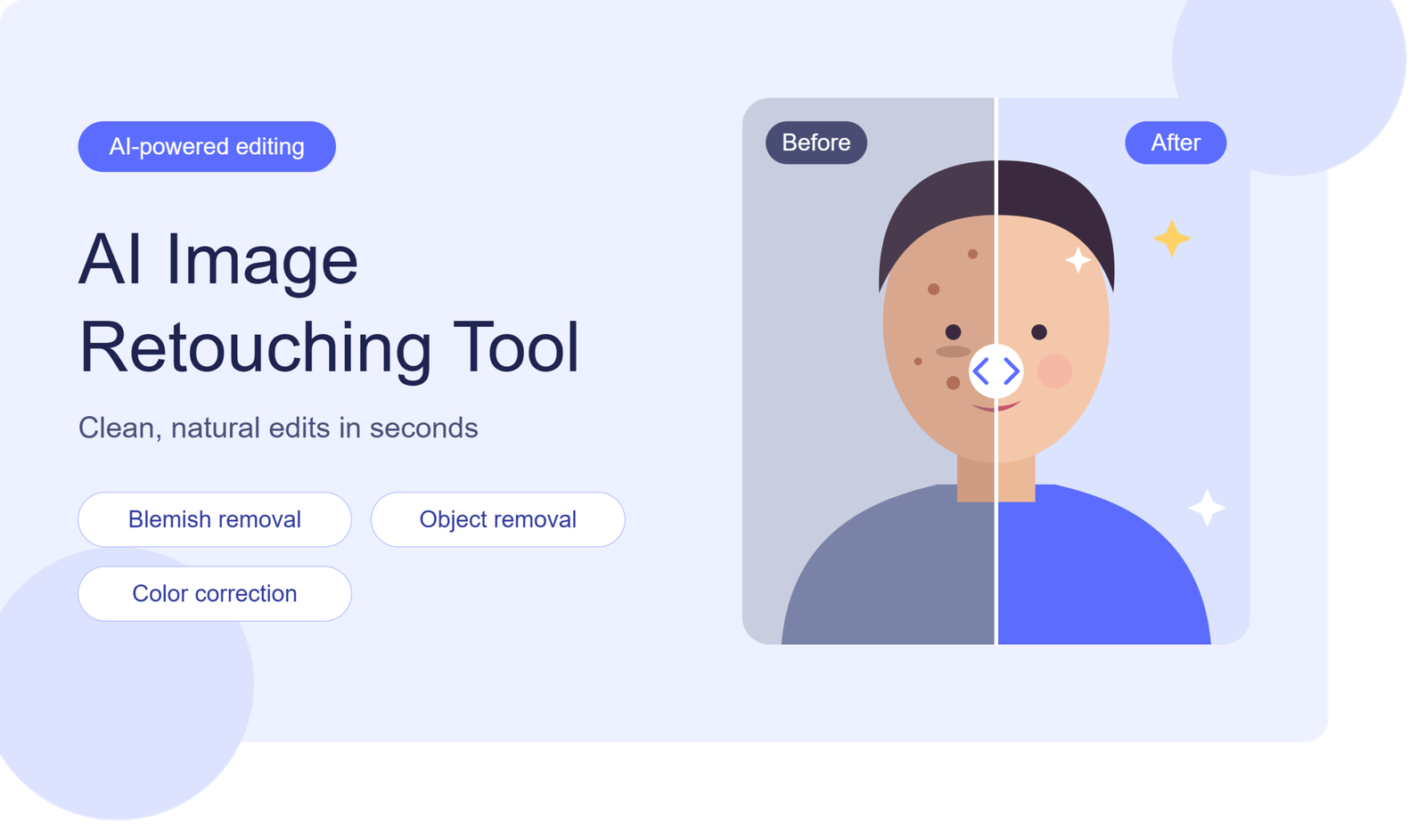
An AI Image Retouching Tool makes photo editing faster, easier, and more accessible for everyone. Whether you are a photographer, content creator, or online business owner, you can improve image quality without spending hours on manual adjustments. These intelligent tools use artificial intelligence to correct lighting, remove blemishes, enhance colors, and eliminate unwanted objects.
Modern AI photo editing software also offers features like automatic skin retouching, background removal, and image enhancement. These capabilities help users create professional-looking photographs for websites, social media, and e-commerce stores. With simple controls and automated editing, anyone can transform ordinary pictures into polished, visually appealing images.
What Is an AI Image Retouching Tool?
An AI image retouching tool is an online or desktop editing solution that uses artificial intelligence to improve photographs automatically or through simple manual instructions. It analyzes image details and identifies areas that need correction.
Unlike traditional editing software, AI-powered editors can recognize faces, objects, backgrounds, colors, and lighting conditions. They use this information to make targeted adjustments without requiring users to edit every detail individually.
For example, you can upload a portrait and improve skin texture, remove small blemishes, brighten the face, or adjust the background. Some platforms also support text-based editing, allowing users to describe the changes they want.
These features make AI retouching accessible to people who have little or no professional editing experience.
How Does AI Image Retouching Work?
Artificial intelligence uses machine learning models and image recognition technology to understand visual information. These systems examine different parts of an uploaded photograph and determine which adjustments may improve its appearance.
The process generally involves several stages.
1. Image Analysis
First, the AI system examines the uploaded photograph. It identifies important visual elements, including faces, objects, backgrounds, colors, textures, and lighting conditions.
This analysis helps the software understand the image before applying any changes.
2. Identifying Imperfections
Next, the system looks for common image problems. These may include uneven lighting, unwanted shadows, skin blemishes, image noise, blurry details, or distracting objects.
Advanced tools can distinguish between different image regions. This allows them to improve one area without unnecessarily changing the entire photograph.
3. Applying AI Enhancements
After identifying the problem, the software applies suitable corrections. It may smooth minor skin imperfections, adjust exposure, improve sharpness, or remove unwanted elements.
Some editors use generative AI to reconstruct missing visual information. Others rely on specialized enhancement models.
4. Reviewing and Exporting
Finally, users can review the edited image and make additional adjustments. Once satisfied, they can download the result in a supported image format.
The quality of the final photograph depends on the original image, the AI model, and the editing settings.
Key Features of an AI Image Retouching Tool
Modern AI editors offer several features designed to simplify everyday photo editing. However, available capabilities differ between platforms.
Automatic Skin Retouching
Skin retouching helps reduce temporary blemishes, spots, and uneven skin tones. AI-powered systems can detect facial regions and apply adjustments automatically.
Good software preserves natural skin texture instead of making faces look artificially smooth. This is particularly important for professional portraits and personal photographs.
AI Background Removal
Background removal separates the main subject from its surroundings. Users can remove distracting backgrounds, create transparent images, or replace existing scenes.
This feature is especially helpful for product photography, profile pictures, online stores, and promotional graphics.
Unwanted Object Removal
Unwanted objects can distract viewers from the main subject. AI object removal identifies selected elements and attempts to fill the empty space with matching visual details.
For example, you can remove a small background distraction from a travel photograph or eliminate an unnecessary object from a product image.
Lighting and Color Correction
Poor lighting can make photographs appear dull or unprofessional. AI enhancement tools can adjust brightness, contrast, exposure, white balance, and color saturation.
These corrections help improve visual balance while maintaining a realistic appearance.
Image Sharpening and Enhancement
Blurry or low-resolution images often lack important details. AI sharpening tools attempt to improve edges, textures, and overall clarity.
Some platforms also provide AI image upscaling, which increases image dimensions while reconstructing visual details.
Wrinkle and Blemish Correction
Portrait editing tools may include options for reducing visible wrinkles, temporary marks, and minor skin imperfections.
However, excessive correction can remove natural facial characteristics. Professional retouching should improve presentation without changing someone’s appearance unnecessarily.
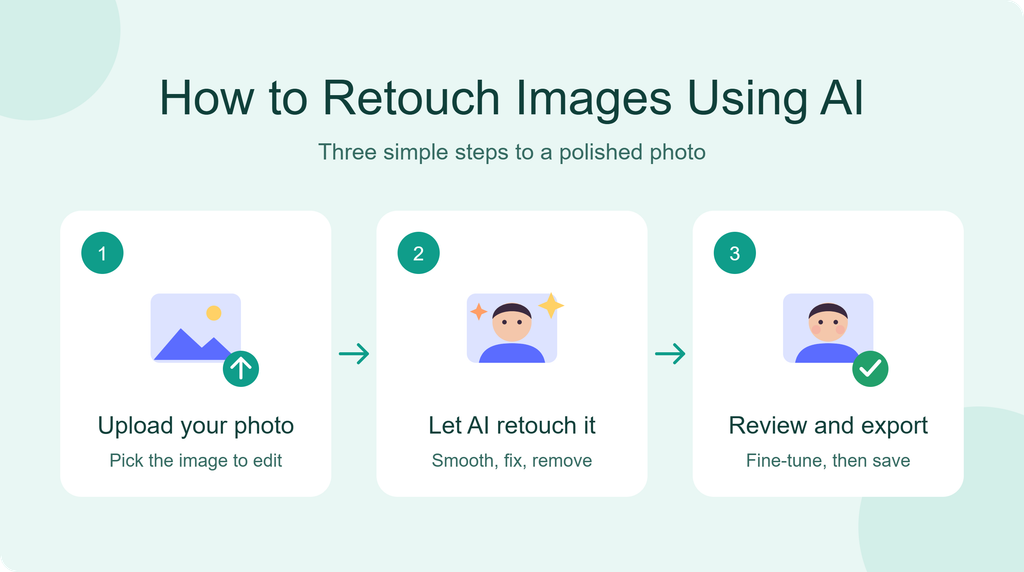
How to Retouch Images Using AI
Using an AI photo editor is generally straightforward. Most platforms follow a similar workflow, although individual features and interface designs may differ.
Step 1: Choose an AI Photo Editor
Start by selecting an editing platform that supports your requirements. Look for essential features such as skin correction, background removal, object erasing, and image enhancement.
Check its supported file formats, export quality, privacy policy, and free-plan limitations before uploading personal photographs.
Step 2: Upload Your Photograph
Select an image from your computer or mobile device. Choose a clear photograph whenever possible because good source quality usually produces better results.
JPEG, PNG, and WebP are common supported formats, although compatibility depends on the platform.
Step 3: Select the Retouching Feature
Choose the editing option that matches your requirements. For example, select skin retouching for portraits or object removal for distracting background elements.
Some AI editors allow users to describe changes through written prompts.
Step 4: Apply the Adjustments
Let the software process the image and generate the edited version. Review the result carefully rather than accepting every automatic adjustment.
If the photograph looks unnatural, reduce the editing intensity or try a different setting.
Step 5: Compare the Results
Use the before-and-after preview to evaluate the changes. Check whether the software preserved important details, natural colors, and realistic textures.
Make additional adjustments when necessary.
Step 6: Download the Final Image
Once the photograph looks correct, export it using an appropriate resolution and file format.
Choose higher-quality settings for professional projects, printed materials, and commercial product images.
Best Uses of AI Image Retouching
AI-powered photo editing supports different industries and creative activities. Its practical applications extend beyond simple portrait enhancement.
Portrait and Beauty Photography
Photographers can use AI retouching to improve portrait lighting, reduce temporary blemishes, and correct minor imperfections.
These tools can also help prepare professional headshots, personal photographs, and studio portraits.
However, natural skin texture should remain visible. Overediting can make portraits appear artificial.
E-commerce Product Photography
Online shoppers depend heavily on product images when making purchasing decisions. Poor lighting, distracting backgrounds, and inconsistent colors can reduce visual appeal.
AI editing helps online sellers clean product photographs, remove unwanted objects, improve brightness, and create consistent backgrounds.
For example, a small clothing business can prepare cleaner product images without spending hours on manual editing.
Social Media Content Creation
Social media creators regularly publish photographs, promotional graphics, and personal images.
AI retouching can help improve image quality before uploading content to Instagram, Facebook, Pinterest, and other platforms.
Creators can correct lighting, remove distractions, and prepare visually consistent photographs.
Real Estate Photography
Property images need clear lighting, accurate colors, and attractive presentation. AI editing can help improve exposure, reduce visual distractions, and enhance interior photographs.
Real estate professionals should avoid misleading alterations that misrepresent the actual property.
Marketing and Advertising
Businesses use photographs in advertisements, landing pages, email campaigns, and promotional materials.
AI-powered editing helps marketing teams prepare polished visuals more efficiently. It can also support consistent branding across multiple campaigns.
AI Image Retouching vs. Traditional Photo Editing
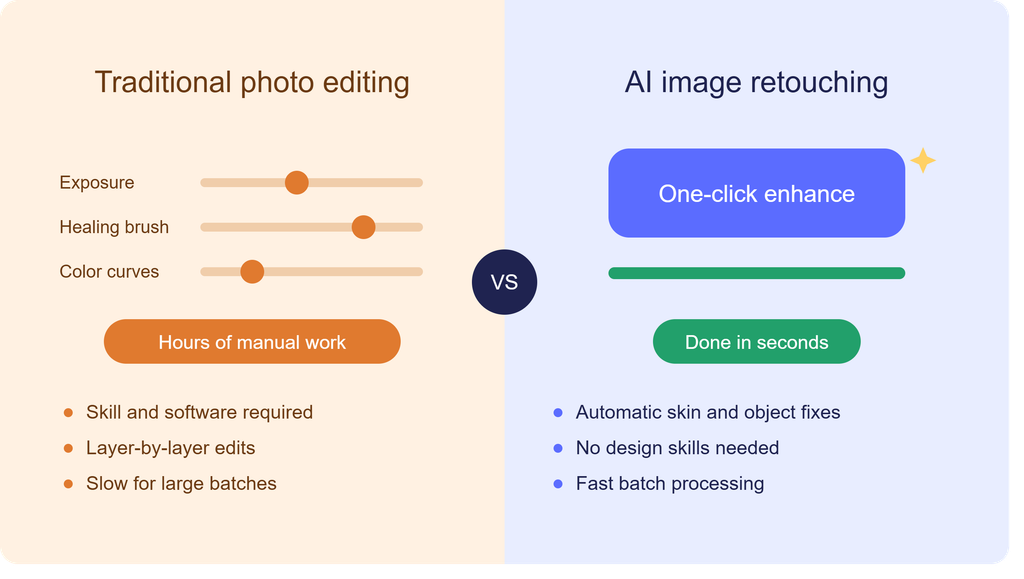
Traditional photo editing and AI-powered retouching both improve photographs, but their workflows differ.
Traditional software often requires users to understand layers, masks, brushes, color adjustments, and selection techniques. This approach provides detailed control over individual editing decisions.
AI-powered editors automate many of these processes. Users can select a feature or provide a simple instruction, and the software attempts to complete the adjustment.
Traditional editing is often preferable for complex commercial projects requiring precise control. AI retouching is convenient for everyday corrections and repetitive tasks.
Many professionals combine both methods. They use AI to complete basic improvements and traditional editing software for detailed finishing.
Neither approach guarantees perfect results. The best option depends on the photograph, project requirements, available skills, and desired output quality.
Benefits of Using AI Image Retouching Tools
Artificial intelligence offers several practical advantages for people who regularly edit photographs.
Saves Time
Manual retouching can require multiple editing steps. AI automation reduces the time needed for common corrections.
This is particularly useful when editing large collections of product images or social media photographs.
Beginner-Friendly Editing
Traditional editing software can feel complicated to new users. AI-powered platforms simplify many operations through automatic adjustments and straightforward controls.
Beginners can achieve useful improvements without learning advanced editing techniques.
Improves Image Consistency
Businesses often need photographs with similar lighting, colors, and backgrounds. AI tools can help maintain a consistent visual appearance across multiple images.
This is valuable for online stores and marketing campaigns.
Supports Creative Experiments
Some editors offer generative features that allow users to replace backgrounds, remove objects, or explore different visual styles.
These capabilities make experimentation easier and provide additional creative possibilities.
Reduces Repetitive Work
Photographers, designers, and e-commerce sellers frequently perform similar corrections across multiple photographs.
AI automation can reduce repetitive tasks and leave more time for creative decisions.
How to Choose the Right AI Image Retouching Tool
Not every photo editor offers the same capabilities. Choosing software based only on its popularity can lead to disappointing results.
Consider the following factors before selecting a platform.Brighthorizonhubs.com
Editing Features
Check whether the software includes the tools you actually need. Some platforms specialize in portrait retouching, while others focus on background removal, object replacement, or image enhancement.
Choose features according to your regular editing requirements.
Image Quality
High-quality exports are essential for professional work. Check whether the platform preserves image resolution, natural textures, and accurate colors.
Some free services reduce export quality or add watermarks.
Ease of Use
A good interface should make important editing features easy to find. Beginners should look for clear controls, simple upload options, and useful previews.
Complicated software may increase editing time instead of reducing it.
Pricing and Free Plans
Compare subscription costs, free credits, export restrictions, and premium features.
Some platforms offer free basic editing but charge for high-resolution downloads or advanced AI functions.
Understand these limitations before committing to a subscription.
Privacy and Security
Photographs may contain personal information, faces, private locations, or business details.
Review the platform’s privacy policy and image-retention practices. Understand whether uploaded photographs are stored, shared, or used to improve AI models.
For confidential projects, consider software that offers suitable privacy controls or local processing.
Tips for Getting Better AI Retouching Results
Even advanced AI software cannot guarantee professional results from every photograph. Following a few practical techniques can improve the editing process.
Start With High-Quality Images
Use clear photographs with sufficient lighting and good resolution. AI systems generally perform better when the original image contains recognizable details.
Avoid Excessive Skin Smoothing
Natural textures make portraits look realistic. Applying too much smoothing can remove important facial details and create an artificial appearance.
Use Specific Editing Prompts
If your editor supports text instructions, explain exactly what you want.
For example, instead of writing “Improve this photo,” try “Reduce background distractions, improve natural lighting, and preserve the original skin texture.”
Specific instructions can help guide the editing process.
Check Before-and-After Results
Always compare the original and edited photographs. Look for distorted edges, missing details, unusual shadows, and incorrect colors.
Maintain Original Copies
Keep an untouched copy of every important photograph. This allows you to restart the editing process without losing the original file.
Export According to Your Purpose
Use suitable dimensions and formats for websites, social media, advertisements, and printing.
Optimizing image size can also help reduce website loading times without unnecessarily sacrificing visual quality.
Limitations of AI Image Retouching
Although AI photo editing has improved significantly, it still has limitations.
One common problem is inaccurate detail reconstruction. When an image contains complex textures or overlapping objects, AI may generate visual elements that do not match the original scene.
Facial editing can also produce unrealistic results when the software changes skin texture, facial proportions, or other natural features too aggressively.
Another concern involves color accuracy. AI systems may modify product colors or lighting in ways that create misleading commercial images.
Some platforms also impose upload limits, processing restrictions, watermarks, or subscription requirements.
Users should therefore review every result carefully. AI is an editing assistant, not a replacement for professional judgment.
Is an AI Image Retouching Tool Free?
Some AI photo editors provide free versions with basic editing features. These may include automatic enhancement, simple retouching, background removal, and limited image processing.
However, free plans often have restrictions. Users may encounter daily editing limits, watermarks, lower-resolution exports, or limited access to advanced features.
Paid subscriptions generally provide additional processing credits, higher-quality exports, batch editing, and more advanced editing options.
Before purchasing a subscription, test the free version if available. Evaluate the output quality and confirm that the platform supports your specific requirements.
The right choice depends on how frequently you edit photographs and which features you need.
Who Should Use AI Image Retouching Software?
AI retouching software can benefit different types of users.
Content creators can improve photographs for websites and social media. Small business owners can prepare professional product images without hiring an editor for every photograph.
Photographers can automate repetitive corrections and speed up their workflows. Digital marketers can prepare attractive visuals for advertisements and promotional campaigns.
Students and beginners can also explore image editing without learning complicated software immediately.
However, professional designers working on detailed commercial projects may still need advanced manual editing tools.
Future of AI-Powered Photo Retouching
AI image editing technology continues to develop. Newer systems are becoming better at understanding image context, recognizing objects, and following natural-language instructions.
Future editing platforms may provide more accurate facial adjustments, realistic background reconstruction, advanced lighting correction, and improved image restoration.
Batch processing could also become more efficient, helping businesses edit hundreds of photographs with consistent settings.
Another important development involves greater control over AI-generated changes. Users increasingly need editing systems that preserve original details and make changes only where requested.
Privacy, copyright, transparency, and responsible image manipulation will remain important considerations as these technologies advance.
Frequently Asked Questions (FAQs)
1. What is an AI image retouching tool used for?
It improves photographs through artificial intelligence. Common applications include skin retouching, lighting correction, background removal, object removal, and image enhancement.
2. Can AI retouch photos automatically?
Yes. Many AI editors automatically identify common image imperfections and apply suitable corrections. Users can usually adjust the results manually.
3. Can I retouch images online for free?
Yes. Several online photo editors offer free retouching features. However, advanced tools, high-resolution downloads, and unlimited processing may require payment.
4. Does AI retouching reduce image quality?
Not necessarily. Good editing software can preserve image quality. However, excessive processing, compression, and low-resolution exports may reduce visual details.
5. Can AI remove blemishes from faces?
Yes. Many AI portrait editors detect and reduce temporary blemishes, spots, and minor skin imperfections while attempting to preserve natural facial details.
6. Is AI photo retouching suitable for product images?
Yes. It can improve lighting, remove distracting elements, clean backgrounds, and enhance product presentation. Always verify that product colors and details remain accurate.
7. Do I need editing experience to use AI tools?
No. Most AI-powered editors offer beginner-friendly interfaces and automatic features. Basic knowledge of image quality and composition can still improve results.
8. Are AI-retouched photographs suitable for commercial use?
They can be, provided the software’s licensing terms allow commercial use. Businesses should also check image accuracy, privacy requirements, and applicable advertising standards.
Conclusion
AI-powered photo editing has made professional-looking image improvements more accessible. From portrait corrections to product photography, these technologies simplify tasks that once required considerable manual effort. An AI image retouching tool can help beginners, photographers, marketers, and online sellers improve their visual content efficiently. However, choosing the right software and reviewing every result remain essential. Avoid excessive editing, preserve original details, and select export settings that match your project. When used thoughtfully, AI retouching can become a valuable part of a modern photography and content creation workflow.